
Cookie settings

This is engomoWeb

With engomoWeb technology, companies build platform-independent web applications directly from the low-code platform – no app installation, no detours, just maximum flexibility. Whether internal business apps, smart micro apps, integrated B2B webshops, or portals — with engomo, you bring your processes and services to the browser in a responsive and high-performance way.
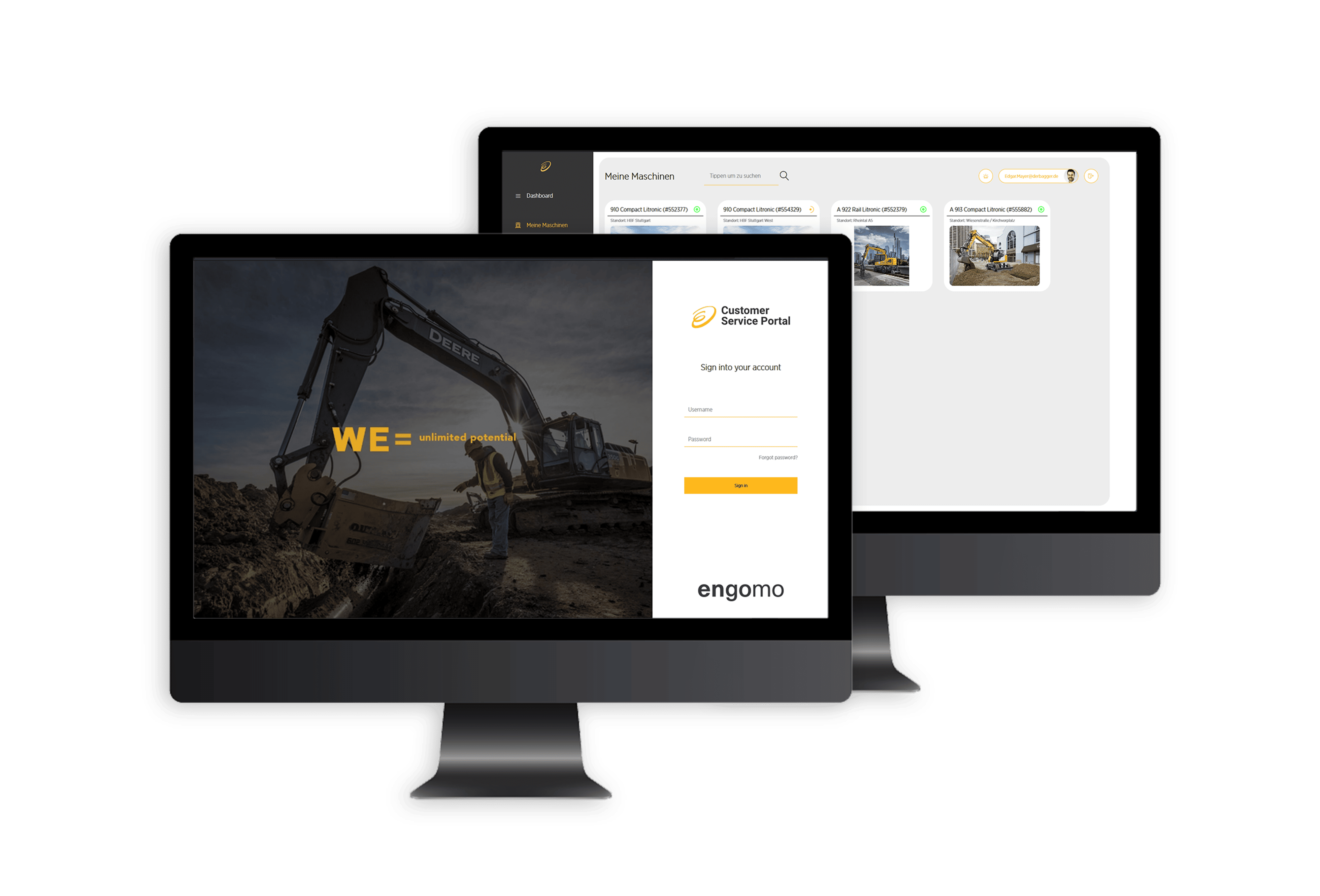
Two monitors displaying the web application of the engomo Customer Service Portal. The front screen shows the login page with an excavator image and the slogan 'WE = unlimited potential', while the back screen displays the portal dashboard with an overview of machines.
Your Benefits

With engomoWeb, you expand your low-code strategy with a powerful web-based output channel. Whether for internal workflows, portals, or webshops – engomo apps run directly in the browser without installation, are seamlessly integrated, and adapt flexibly to any screen size.

  • It is an icon that shows a green circle with a white check mark inside.

    Instant availability: engomo apps run directly in the web browser – no app deployment or installation required.

  • It is an icon that shows a green circle with a white check mark inside.

    More use cases: Ideal for internal desktop workflows, portals, webshops, extranet applications, and more.

  • It is an icon that shows a green circle with a white check mark inside.

    Flexible design: Thanks to intelligent layout technology, your applications dynamically adapt to any screen size.

  • It is an icon that shows a green circle with a white check mark inside.

    Consistently strong integration: Seamless connectivity with your backend systems for real-time data exchange and high-performance solutions — even with millions of data records.

  • Responsive Web Design

    With flex layouts, engomo offers comprehensive layout features for designing applications that are precise and responsive across all devices for web use:

  • It is an icon that shows a green circle with a white check mark inside.

    Auto-scaling content: Layouts adjust flexibly to screen size – whether on desktop, laptop, or tablet.

  • It is an icon that shows a green circle with a white check mark inside.

    Custom viewports: Different layouts for different device types – tailored to your needs.

  • It is an icon that shows a green circle with a white check mark inside.

    Structured design support: The LayoutHelper assists with structured implementation using visual templates.

  • It is an icon that shows a green circle with a white check mark inside.

    Full design freedom: Add custom CSS, HTML headers, and individual URLs for maximum creative flexibility.
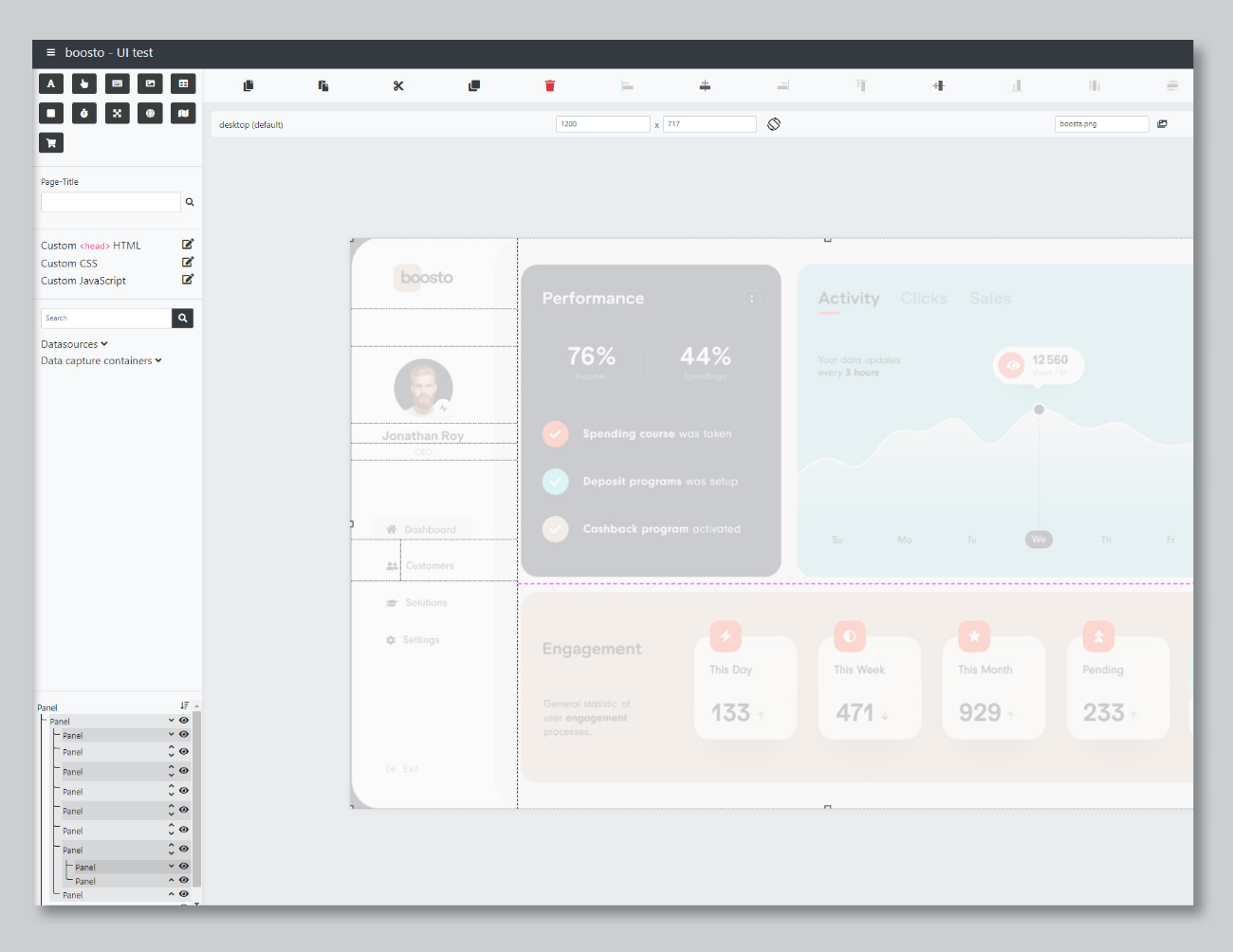
  • Screenshot of the Flex Layout editor in engomoWeb. A customizable web app interface is shown with dashboard components for performance, activity, and engagement, surrounded by the engomo UI editor including properties, layout settings, and data sources.

    Web Applications with Real Value

    With engomo, companies build browser-based applications – across departments and target groups:

    Icon of a globe – stylized representation for web access, global reach, or internet connectivity in green outline.

    Enterprise Apps

    Web-based solutions tailored to your business needs, such as:

  • It is an icon that shows a green circle with a white check mark inside.

    Project management & document approval

  • It is an icon that shows a green circle with a white check mark inside.

    Error & deviation handling

  • It is an icon that shows a green circle with a white check mark inside.

    Invoicing & document generation

  • It is an icon that shows a green circle with a white check mark inside.

    Task management & knowledge management

  • Icon of a globe – stylized representation for web access, global reach, or internet connectivity in green outline.

    Micro Apps

    Lightweight web apps for specific tasks – for example:

  • It is an icon that shows a green circle with a white check mark inside.

    Approval workflows

  • It is an icon that shows a green circle with a white check mark inside.

    Travel expense submissions

  • It is an icon that shows a green circle with a white check mark inside.

    Master data maintenance in production

  • It is an icon that shows a green circle with a white check mark inside.

    Product data access

  • It is an icon that shows a green circle with a white check mark inside.

    Damage reporting

  • Icon of a globe – stylized representation for web access, global reach, or internet connectivity in green outline.

    B2B-eCommerce & Webshops

    Integrated, high-performance, and custom-fit shop solutions. engomoWeb reduces complexity – and accelerates your time-to-market.

  • It is an icon that shows a green circle with a white check mark inside.

    Customer-specific pricing, product data & items pulled directly from ERP

  • It is an icon that shows a green circle with a white check mark inside.

    Fast access to large product portfolios

  • It is an icon that shows a green circle with a white check mark inside.

    Optimized usability & responsive design

  • It is an icon that shows a green circle with a white check mark inside.

    Lower project costs

  • Icon of a globe – stylized representation for web access, global reach, or internet connectivity in green outline.

    Customer, Dealer & Supplier Portals

    Flexible self-service portals with deep backend integration. Simple user experience meets powerful data integration:

  • It is an icon that shows a green circle with a white check mark inside.

    Personalized content, directly synced with your systems

  • It is an icon that shows a green circle with a white check mark inside.

    Data entry & editing with direct write-back

  • It is an icon that shows a green circle with a white check mark inside.

    Perfect as standalone portals or in combination with webshops

  • Icon of a globe – stylized representation for web access, global reach, or internet connectivity in green outline.

    Existing Apps

    All previously created engomo apps are instantly available in the browser — with no additional development effort. Only native functions like camera access, barcode scanning, or NFC remain exclusive to mobile apps.

    Learn more

    Would you like to learn more about the capabilities and use cases of our engomoWeb technology? Download our whitepaper now and discover how to build powerful web applications with engomo.

    White Paper: Web-Based Low-Code Enterprise Apps with engomo

    Close digitalization gaps efficiently and precisely: With engomoWeb, create custom web apps for processes, tasks, and portals – directly from the low-code toolkit, fully integrated into your company’s IT.
    Cover page of the whitepaper titled 'Web-Based Low-Code Enterprise Apps with engomo' – an introduction to features, benefits, and use cases of the engomoWeb technology.
    Use of engomoWeb technology

    When building apps with engomo, you can choose between native mobile app technology and engomoWeb technology. The decision may seem complicated at first, so here are a few practical questions to help you determine which approach is best for you

    Is this an app that is used exclusively on mobile devices, and for which desktop use makes absolutely no sense?

    For example, this could be an app for warehouse order picking with a built-in scanning feature, designed to run on a scanning device. In this case, it would be unnecessary extra work to worry about flexible, responsive layouts. The most efficient and fastest way to create the app here is to develop a native engomo mobile app.

    Is your application intended for use on the desktop (as well)?

    With native app technology, you can install a Windows app, but the web app offers clear advantages: it simply runs in the browser, without any installation or complicated setup. Flex Layout isn't strictly necessary, but it's recommended if users access the app on different devices with varying screen sizes, to ensure an optimal user experience.

    What about existing apps that were created on the engomo platform before the engomoWeb technology was made available?

    For any existing app, engomoWeb technology means it can also be used in a web browser without requiring any modifications. One limitation is native mobile components: they are not available in the browser but can only be used in native mobile apps. If you decide to make an app that was previously used natively—for example, a Windows app—web-based in the future, you can do so without any issues. It is important to understand that the app will not yet have responsive behavior, but will scale in size just as native mobile apps always have. If a new flexible layout is to be created for an existing native mobile app using engomoWeb technology, the existing data can be transferred to the newly developed web app.